
Bluetooth
The YM03 has a Bluetooth transmitter: it sends your music to Bluetooth headphones, earbuds or a speaker. It cannot receive audio from a phone; that is a limit of the module in the player, not of Orpheus.
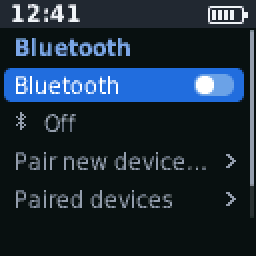
Connect headphones the first time
- Home › Bluetooth, highlight Bluetooth and press OK to switch it on. The line under it says "Starting…", then "Not connected".
- Put the headphones in pairing mode (see their manual).
- Pair new device…: the player searches and lists what it finds, with an icon for headphones, speakers, phones and computers.
- Highlight the headphones and press OK. "Connecting…" turns into "Connected · name".
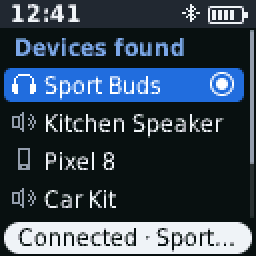
Play music as usual: the module sends what the player plays. Bluetooth can also be switched on and off from Quick settings (hold Menu).
Later
- With Reconnect on (the default), switching Bluetooth on connects to the last device by itself.
- Paired devices lists the devices the module remembers. OK on one connects to it; Menu offers Connect or Disconnect, and Forget.
- Switch Bluetooth off when you do not use it: the module is off whenever Bluetooth is off, and the player switches it off when it powers down.
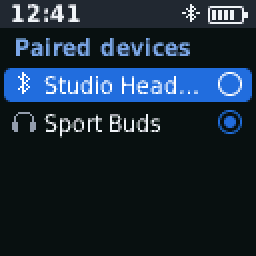
Volume
The volume keys set the player's own volume, and the headphones get that level. The headphones' own volume buttons may or may not change the level, depending on the headphones.
What has been tested
Connecting, automatic reconnect and sending music were tested on the player with a computer acting as a Bluetooth speaker. Tests with real headphones are in progress (user check 17 in USER-CHECKS.md); if yours do not connect or sound wrong, please report it.
Not yet
In progress: track titles shown on the headphones, the Bluetooth presenter remote (slide clicker), editing the device name.