
Now Playing
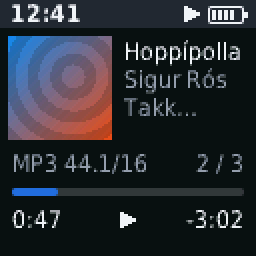
The screen of the playing track: cover, title, artist, album, format, position in the queue, and time.
Keys
| Key | Press | Hold |
|---|---|---|
| OK | Play / pause | Stop |
| Next | Next track | Seek forward, faster the longer you hold |
| Prev | Back to the start of the track; within its first 3 s, the previous track | Seek back |
| Up / Down | Change the view | |
| Menu | Options (below) | Quick settings |
| Back | Leave; the music keeps playing | Home |
Views
Up and Down cycle through the views; the player remembers your choice.
| View | Shows |
|---|---|
| Standard | Cover, tags, format, progress |
| Big art | The cover over the whole screen; the text appears for 3 s after a key |
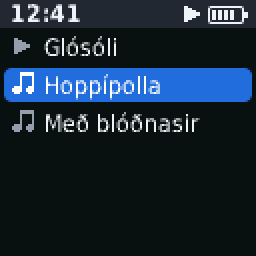
| Up next | The queue. OK jumps to a track; Menu removes or moves it |
| Details | Codec, bit rate, sample rate, channels, file |
| Lyrics | In progress (shows nothing yet) |
| Levels | In progress (shows nothing yet) |
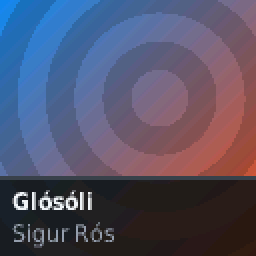
Covers come from a picture embedded in an MP3 or FLAC file, or from a
picture named like cover, folder or front in the track's folder. The player makes a small copy the first time and keeps it in
/.orpheus/cache/art on the card. Making that copy can cause a short
dropout at the start of a track (known issue).
Menu
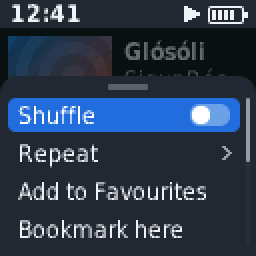
- Shuffle, Repeat (off, one, all)
- Bookmark here: saves the position; Music › Bookmarks lists them
- A–B repeat: set A, set B, clear
- Equaliser, Sleep timer, Output (headphones or Bluetooth)
- Go to album / artist
Add to Favourites, Add to playlist and Delete file are in progress.
Sound
Volume works on every screen. The equaliser (presets and a 5-band custom curve), balance, bass, crossfeed and channel mode are in Settings › Sound and apply while you listen.