Files
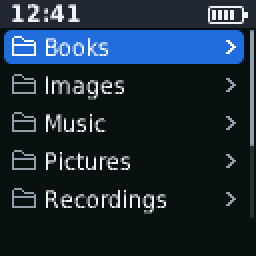
A browser for everything on the microSD card. Folders come first, then files, in natural order ("Track 2" before "Track 10"), ignoring case.
What OK does
| On | OK |
|---|---|
| A folder | Opens it |
| A music file | Plays it; the rest of the folder becomes the queue |
| A picture (JPEG, PNG, BMP, QOI, GIF) | Opens it in the picture viewer |
A text file (.txt, .lrc, .cue, .md, .log) | Opens it in the text viewer |
The text viewer wraps words to the screen; Prev and Next turn pages, and it remembers where you were.
Moving fast
- Prev / Next turn a page of the list.
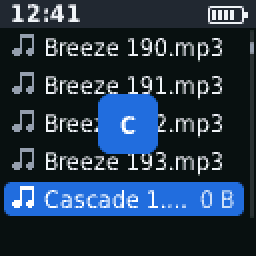
- Hold Prev or Next in a long list to jump by first letter: the letter shows large in the middle while you hold.
- Large folders open at once. The first visit lists names in the order
they are stored and sorts them in the background; the sorted order is
kept in
/.orpheus/cache/on the card, so the next visit is sorted immediately.
Menu
| Entry | What it does |
|---|---|
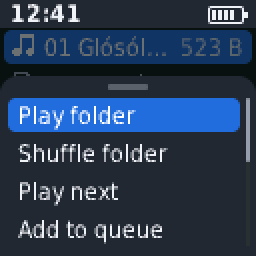
| Play folder / Shuffle folder | Plays the whole folder as the queue |
| Play next | Puts the file after the current track |
| Add to queue | Puts it at the end of the queue (256 songs at most) |
| Properties | Size and date; tags for music files |
| Sort | Name, Date or Size |
| Show hidden | Shows dot-files, System Volume Information and /.orpheus |
| Card info | Capacity, free space, file system |
In progress: Rename, Delete, New folder and Add to playlist. Until
they exist Orpheus does not change your files: it writes only inside
/.orpheus/ on the card.
Cards
FAT32 and exFAT cards work. If there is no card, Music, Files and Pictures say so and the rest of the player keeps working.
While the player is a card reader for a computer (Settings › USB, or the dialog when you plug it in), the card belongs to the computer and Files is not available; eject it on the computer before you unplug.