
Pictures
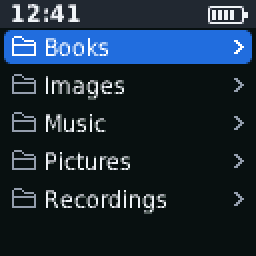
Pictures lists the card's folders and the pictures in them, and shows one picture at a time over the whole screen.
Formats
JPEG (baseline and progressive), PNG, BMP, GIF (the first frame) and QOI. Large pictures are scaled down while they load: a 1600 × 1200 JPEG takes a moment and then fits the 128 × 128 screen with bars at the sides. A damaged file shows "Cannot show this picture" instead of stopping.
Keys in the viewer
| Key | Does |
|---|---|
| Prev / Next | Previous / next picture in the folder (other files are skipped) |
| Up / Down | Rotate by 90° |
| OK | Fit the whole picture, or fill the screen |
| Menu | Slideshow on/off, slideshow interval, rotate left/right |
| Back | Back to the list |
While music plays
Pictures and music share one block of memory. While a track is loaded (playing or paused) the viewer says "Stop playback to view pictures" and shows the picture by itself once playback stops. Album covers on Now Playing are not affected.
Pictures also open from Files.
Not yet
In progress: a thumbnail grid, zoom to 100 % with panning, remembering the rotation of each picture, using a picture as wallpaper, delete, and animated GIF.